What should the observer track?
🔊 Callout builder
Soundboard readback
Record the sounding cell, Braille number, and button colour before checking the current lookup rule.
Soundboard is shown as a 3 × 3 practice grid. Press cells until one makes a sound, then use that cell's Braille number and colour with the current table.
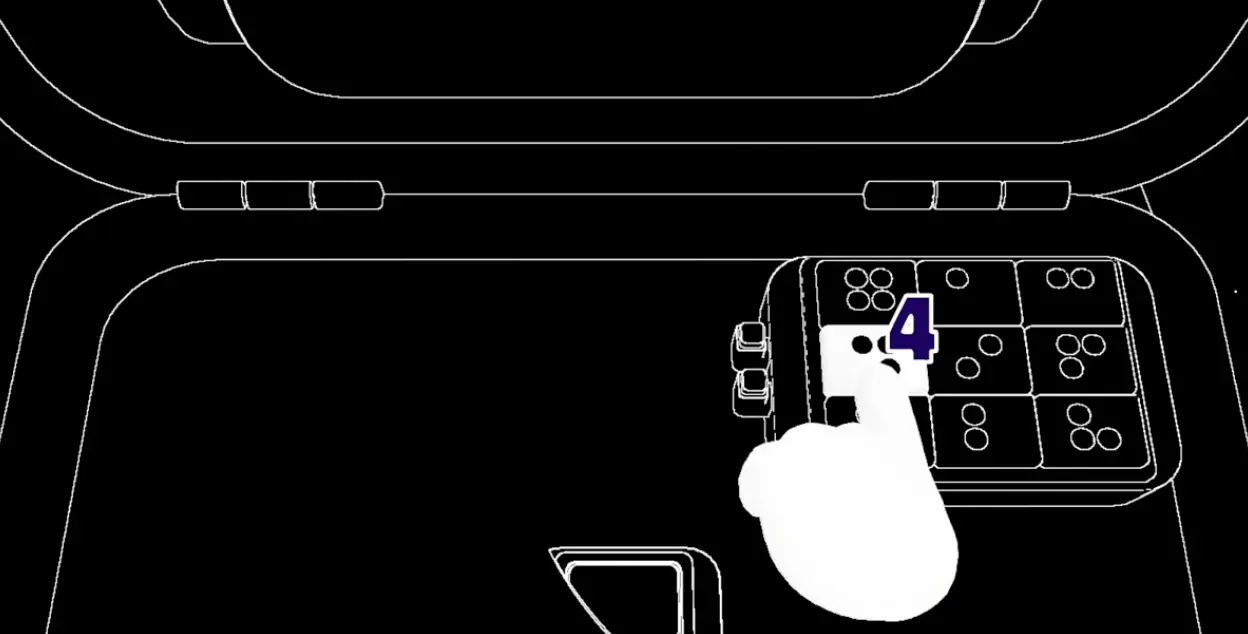
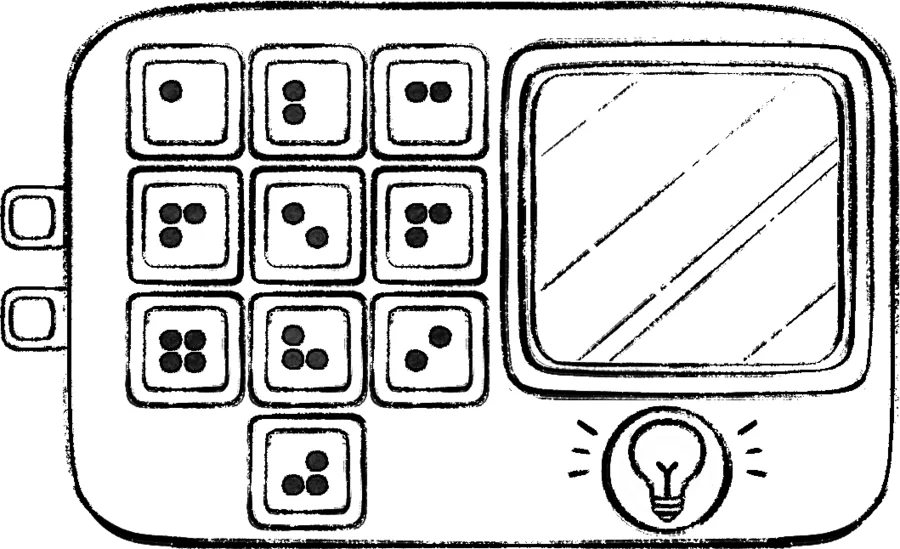
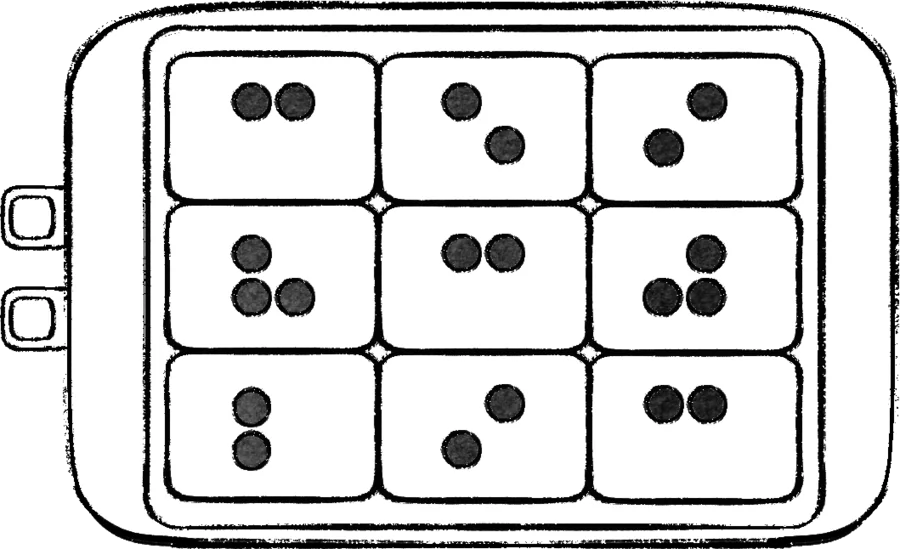

Soundboard at a glance
| Field | Reference answer |
|---|---|
| Difficulty | Medium |
| Module type | Defusal |
| Panel footprint | Three rows by three columns in the reference layout; confirm the current build before a live run |
| First fixed campaign appearance | Level 11 |
| Fixed campaign appearances | Levels 11 and 12 |
The panel is not solved by pressing the button that sounds best. Press buttons until one produces a sound; that sound identifies the clue to use with the button’s Braille number and colour. The resulting table lookup tells the team which positions to press. Keep the positions in a fixed reading order that matches the current manual, and check the live panel footprint before a run because the grid layout is version-sensitive.
Soundboard callout card
| Emoji | Callout field | What to confirm |
|---|---|---|
| 🔊 | Sound found | Stop probing once one button produces the identifying sound. |
| 🎨 | Colour | Read the colour from the sounding button. |
| 🔢 | Braille number | Read the number from that same button. |
| 🧭 | Position sequence | Translate the pair into positions using the current manual layout. |
| 🔁 | Repeat-back | Read the full position list before the operator starts. |
| ✅ | Accepted | Mark each confirmed position and move to the next one. |
| 🛑 | Reset | If the board changes or a position is disputed, reread the current state. |
Two independent module indexes agree on the durable procedure—find the sounding button, read its Braille number and colour, then resolve the target positions. Use the live panel diagram and current manual together when the grid footprint changes.
Worked-state status
Read the sounding button, its colour, Braille number, and position as one clue packet. Do not treat a copied example as a universal rule. For a live run, read the target positions from the current in-game manual after confirming that the panel footprint matches the manual.
An independent module reference makes the same distinction: the procedure is repeatable, while a complete public mapping may not cover every current panel. That is why this page teaches the observation and read-back workflow instead of presenting an archived table as a guaranteed current answer key.
Record each sound with its colour, Braille number, and grid position. If the panel remembers prior inputs, keep a numbered list and mark the point where the state changes.
Reliable solving order
- Confirm that this is Soundboard and number the cells in a fixed reading order from the current manual.
- Press or identify candidate buttons until one makes a sound; do not infer a sound from colour alone.
- Report the sound, button colour, Braille number, and position.
- Use the current Soundboard reference table to translate that pair into positions to press.
- Read the complete position sequence back before the operator begins.
- After every accepted input, mark the next position. After a failure, reread the panel because its state may have reset.
| Observation | Required callout | Why it matters |
|---|---|---|
| Sound found | Sound plus colour | Distinguishes the active clue from silent buttons |
| Number visible | Braille number plus position | Selects the correct table row |
| Target known | Position sequence 1–8 | Lets the operator act without visual guessing |
| Input accepted | Advance the numbered list | Prevents duplicate or skipped presses |
How should the team communicate?
Use “sound–color–position” as the fixed phrase, then repeat the complete sequence before pressing. Link to the roles guide.
The Module Solver records the position, colour, Braille number, sound label, and sequence status. It is a preparation aid; the final position sequence must still be checked against the active module table.
How should a remembered sequence be checked?
The observer should name one sound together with its color and grid position, not a sound in isolation. The interpreter keeps a numbered list and reads the entire list back before the operator begins. After each accepted input, mark the next position; after a failure, reread the panel because the remembered sequence may have reset.
Campaign placement
The reference lists Soundboard as a Medium defusal panel with its first fixed appearance at Level 11 and fixed appearances at Levels 11 and 12. Use Level Lookup and Campaign Progression to verify the current run rather than assuming every random panel contains it.
What is the soundboard callout format?
Use four fields when the panel is busy: stage, sound, color, and grid position. “Blue tone” is incomplete if two blue cells are visible. “Stage two, short tone, blue, top-right” gives the operator and interpreter a repeatable record.
| Step | Observer reports | Team action |
|---|---|---|
| 1 | Current stage or reset state | Start a fresh numbered list |
| 2 | Sound plus color | Interpreter identifies the matching rule |
| 3 | Grid position | Operator repeats the exact cell |
| 4 | Accepted or failed result | Advance the list or reread the panel |
How can the operator avoid losing the sequence?
The operator should not rely on memory while other players are speaking. Wait for the interpreter to read the full list, press one item, and report the result before moving to the next item. If an animation or sound changes the board, pause and ask whether the stage has advanced.
What if the sound cannot be identified?
Describe the observable fallback: duration, pitch direction, color, and grid position. The interpreter can then compare the description with the module reference instead of guessing from an incomplete label. Use the roles guide to restore a single caller.