How should the team divide information?
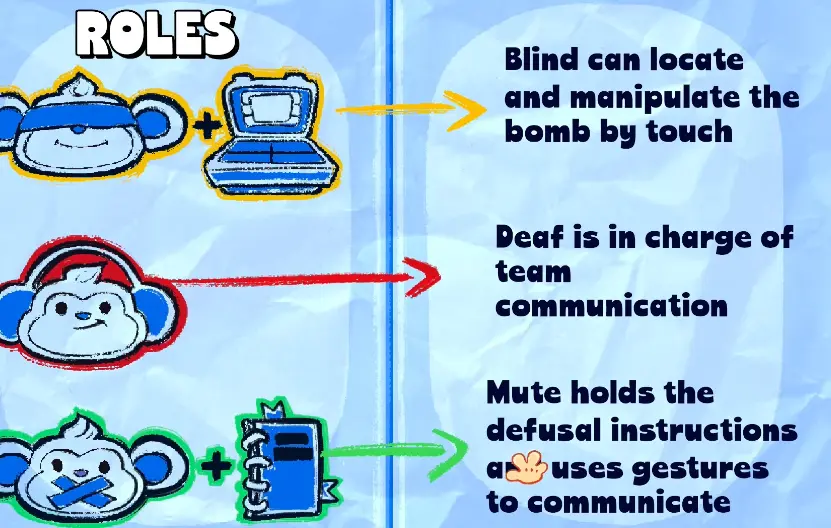
Start with three jobs: observation, interpretation, and input. The observer reports visible state in a fixed order; the interpreter maps that state to the rule; the input player waits for a complete instruction and confirms the result.
Quick answer: who should do what?
The Deaf Monkey should describe the visible panel, the Mute Monkey should read the manual and convert that packet into one action, and the Blind Monkey should perform that action by touch. The safest team does not let two players issue competing commands: one person calls the final input, the operator repeats it, and the team rereads the module after any reset or failed attempt.
Use this three-line setup before the first timer starts:
| Before the run | Player action | Ready signal |
|---|---|---|
| Choose roles | Agree who observes, interprets, and operates | Each player names their role |
| Choose vocabulary | Keep module names, positions, colors, and stages consistent | Everyone repeats “wait / confirm / rebuild” |
| Choose the caller | Only one player gives the final input | Operator repeats the exact action |
The three-role information path 🙈🙉🙊
| Role | Can reliably provide | Should receive |
|---|---|---|
| Blind Monkey 🙈 | Tactile layout, button or switch position, and Braille values read by touch | The final physical action in a left-to-right order |
| Deaf Monkey 🙉 | Visible colours, lights, symbols, sounds and screen state | The manual reader’s gesture-based answer |
| Mute Monkey 🙊 | The manual lookup and the rule selected by the current colour/number packet | A complete observation packet before choosing an action |
The information path is therefore panel → Braille/visual callout → manual lookup → gesture → physical input. Do not assume that the player who sees a colour also knows the answer, or that the player who reads Braille can see the colour. The game’s puzzle loop depends on keeping those facts separate.
Role limits at a glance
The role reference describes the three-player setup as an asymmetric information chain. Use this table to decide who should report a clue, who should read the manual, and who is allowed to touch the panel. The exact voice and input behaviour should still be checked in the current build.
| Role | Primary view or sense | Can speak to the team? | Can touch the bomb? | Main responsibility |
|---|---|---|---|---|
| Blind Monkey 🙈 | Touch layout and Braille values | No in the role fiction; use the agreed relay | Yes | Execute one confirmed cut, press, or switch action |
| Deaf Monkey 🙉 | Bomb UI, colours, lights, symbols, and visible state | Yes | No | Read the panel aloud and translate the manual reader’s signal |
| Mute Monkey 🙊 | Manual pages and rule context | No; use gestures and emotes | No | Match the complete observation packet to the current rule |
The important boundary is not a skill ranking. It is an information boundary: the person who sees the colour may not know the manual answer, and the person with the manual may not see the physical panel. A correct solve requires all three roles to pass their piece of the state forward.
The communication chain during an active module
Use one direction for the handoff:
Blind reads by touch → Deaf reports the visible state → Mute checks the manual → Deaf speaks the action → Blind makes one input.
Open every callout with the module name and its position on the casing. Then report the relevant fields in a fixed order: count or stage, colours or symbols, Braille number, current switch state, and finally the requested action. When a light changes, a stage advances, or an input fails, say “stop and reread” before anyone makes another input.
| Moment | Caller | Required handoff |
|---|---|---|
| Panel found | Deaf | Module name + physical position |
| Clue read | Deaf and Blind | Visible colours/symbols plus Braille or touch value |
| Rule selected | Mute | Manual row or procedure, signalled with 👍 / 👎 / ✋ |
| Action issued | Deaf | One complete instruction with position and order |
| Input made | Blind | One cut/press/flip, then wait for the result |
This is also the safest recovery loop. If the panel blinks or resets, do not append to the old answer; rebuild the packet from the new state.
A repeatable callout template
Use the same sentence shape for every module so the team can hear missing information immediately:
Module + position → current fields → wait → manual answer → repeat → input → result
For example: “Cable, left panel. Four wires, blue indicator; left to right green, yellow, red, blue. Wait for the rule. Confirming third wire, red. Cutting now. Accepted.” The example demonstrates the communication order; it is not a universal wire answer. The current panel and manual still decide the actual input.
If a player hears only “red wire” or “press two,” stop the sequence and ask for the module name, position, and stage again. That small pause is faster than recovering from an input made against an incomplete state.
What each role does on common modules
| Module family | Blind Monkey | Deaf Monkey | Mute Monkey |
|---|---|---|---|
| Wires / Cable | Touches and cuts only the confirmed wire | Reads colour order and indicator aloud | Looks up the row and signals the cut index |
| Braille modules | Reads the dots and reports the number | Reports light colour and visible position | Combines number + colour in the manual |
| Calculator / Keypad | Presses one confirmed digit at a time | Reads the displayed expression and LED | Applies the parity/LED rule and returns the key |
| Switches / levers | Flips the named switches and presses Enter | Narrates colours, numbers, and current states | Selects the manual row and confirms the up/down pattern |
| Piano / Symbol / Soundboard | Touches the named key or position | Reports visible light, symbol, or sound location | Reads the current sequence or table and signals it |
The module pages contain the detailed workflows: Cable, Calculator, Switch, Piano, Symbol, and Soundboard.
How should a trio assign roles?
Assign the three roles before the timer starts. A calm, precise player often works well as Deaf because that role must broadcast short sentences while watching the manual reader. A patient reader can take Mute, while a player comfortable with tactile navigation can take Blind. These are practical suggestions, not an official difficulty ranking.
Rotate after a level or a short run, never halfway through a clue. Public-lobby teams should first agree on three signals—wait ✋, confirm 👍, wrong/rebuild 👎—then add directional gestures such as ⬆️ and ⬇️ only when the basic handoff is automatic.
Common role mistakes
- Blind touches the panel before Deaf finishes the callout.
- Deaf reports a colour without the module name, position, or stage.
- Deaf watches only the bomb and misses Mute’s gesture.
- Mute tries to mime a long number instead of showing the relevant manual row.
- The team changes names for the same symbol or direction halfway through a run.
- A failed input is treated as proof that the old clue was correct; the panel is not reread.
The solution is not faster speech. It is a complete packet, a single final caller, and one deliberate input at a time.
What makes a useful callout?
Use short, repeatable phrases: module name, stage number, clue, requested action. For a direction or wire puzzle, describe position before color. For a sound or symbol puzzle, identify the sequence stage and ask the observer to repeat it.
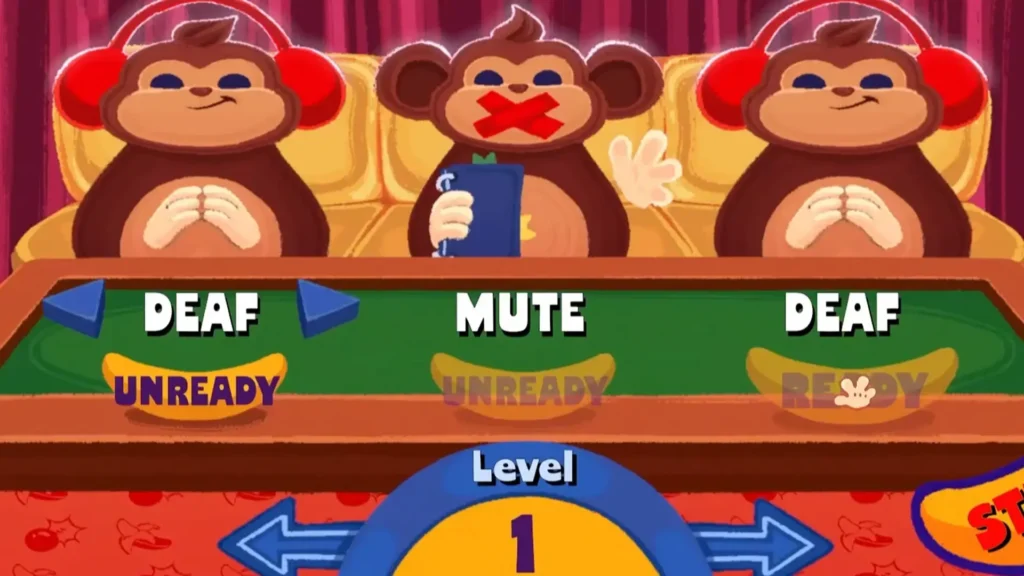
The role diagrams used by community guides reinforce the same boundary: the manual reader should not guess what the panel looks like, and the panel reader should not silently choose the answer. Name the module first, report the visible fields in order, then wait for one explicit action call.
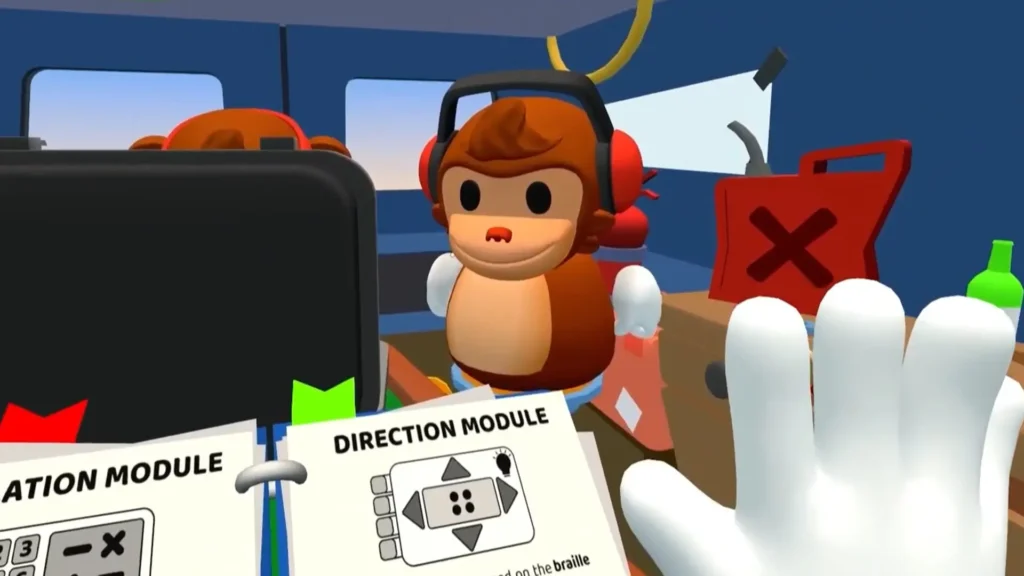
For noisy voice chat, agree on a small gesture vocabulary before the timer starts: 👍 confirm, 👎 reject, ✋ wait, and ⬆️ / ⬇️ for directional requests. These are team communication aids, not replacements for the current in-game manual.
How should teams recover from a mistake?
Pause communication, capture the current state, and identify which assumption failed. Return to the main guide and then use the relevant puzzle module.
Use this recovery order:
- Stop: the operator takes no second action.
- Capture: the observer rereads the module name, position, stage, colors, symbols, and numbers that are currently visible.
- Compare: the interpreter says which field changed or which field was missing from the previous callout.
- Rebuild: the team forms a new packet and repeats one final instruction.
- Verify: the operator reports accepted, rejected, reset, or unchanged before anyone continues.
For campaign practice, the Level Lookup tool shows the timer, mistake allowance, module slots, and room disruptions for the selected level. It is a planning aid, not a replacement for the live manual.
What should each role say out loud?
The observer should use facts that another player can verify: count, position, color, symbol, sound, or light. Avoid conclusions such as “it is probably the second one.” The interpreter should repeat the facts, name the matching module rule, and state one proposed action. The operator should answer with the control they are about to use and wait for the interpreter to confirm it.
Braille relay for colour-and-number modules 🙈💡🔢
When a module combines a visible colour with a Braille value, pass the two clues as one packet. The player who can see the panel gives the colour and its position; the player touching the panel reads the Braille value; the manual reader matches the pair and returns one physical input. A useful call is: “Direction: blue light, Braille 4.” For a multi-position panel such as Switch, keep the complete left-to-right colour sequence and number sequence together before interpreting any row. This avoids turning one state into several detached guesses.
| Role | Report or action | What to avoid |
|---|---|---|
| Observer | “Four wires, left to right: green, yellow, red, blue; indicator is blue.” | Skipping the count or position |
| Interpreter | “I have the wire rule. The requested cut is the third wire, red.” | Reading an answer before the state is complete |
| Operator | “Confirming: third wire, then cut.” | Cutting while a clue is still being described |
How should the team handle overlapping voices?
Use one caller for the final instruction. Everyone else pauses while that caller reads the decision back. If two instructions are heard at once, the operator should not choose between them; ask for a single repeat. This costs a few seconds but avoids losing a life to an ambiguous color or stage number.
When should roles rotate?
Rotate after a level or a short run, not halfway through a module. Community discussions describe the information-limited role as the hardest to learn, so a rotation gives every player practice without changing the rule during a live solve. Keep the same vocabulary after rotating so the team does not reset its communication system every round.