Quick answer: how Maze works
🗺️ Route trainer
Maze route trainer
Tap moves to rehearse a route. The trainer tracks your position and tells you when the green target is reached.
Red dot: 1 · Target: 30
Start at the red dot and route to green.
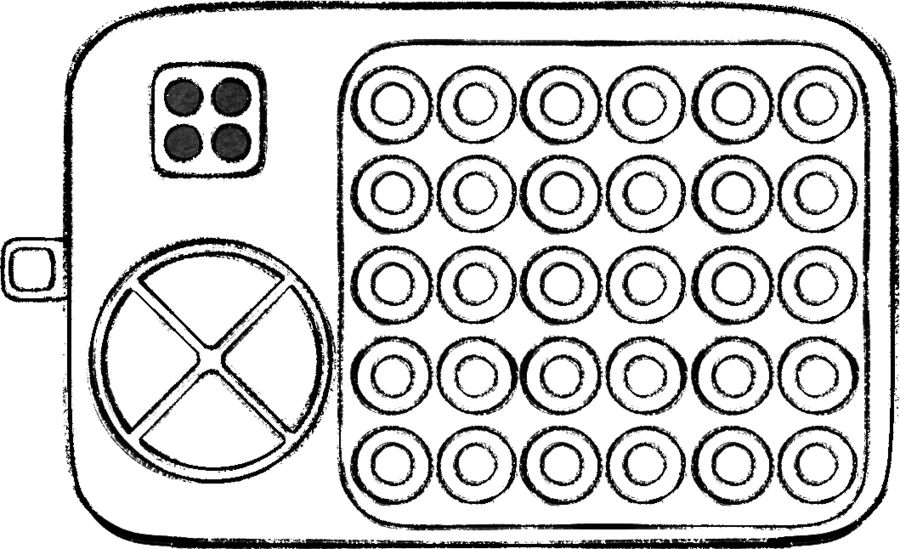
Maze is a Hard defusal module built around a visible grid whose footprint should be checked against the current manual. A number written in Braille identifies the maze layout. The player who can read the Braille identifies the matching diagram; the manual user translates the route; the blind player moves the red dot to the point with the green light. The reference lists a first fixed appearance at Level 18.
| Field | Reference answer |
|---|---|
| Difficulty | Hard |
| Module type | Defusal |
| Panel footprint | Version-sensitive grid; check the live manual |
| First fixed campaign appearance | Level 18 |
| Fixed campaign appearances | Levels 18, 19, 20, and 24 |
The Braille number selects the maze; it is not a movement instruction. Identify the matching layout first, confirm its orientation, then route the red dot to the green-light target. The Module Solver keeps the module state visible while the team practises the route.
Maze callout card
| Emoji | Field | Meaning |
|---|---|---|
| 🔢 | Braille number | Selects which maze diagram to open in the manual. |
| 🔴 | Red dot | The starting position to report before moving. |
| 🟢 | Green light | The destination that ends the route. |
| 🧭 | Orientation | Agree which edge is the top before saying directions. |
| ➡️ | Route packet | Give one direction at a time, or a direction plus step count. |
| ✅ | Finish | Stop once the red dot reaches the green light. |
The public module indexes agree on the same three decisive fields—Braille maze number, red start, and green destination. This card turns those fields into a compact team callout; it does not invent a universal route for every maze layout.
The three-stage callout
- Identify: read the Braille number and say it once.
- Orient: confirm which edge is up from the manual diagram.
- Route: call moves as short directions—up, down, left, right—until the red dot reaches green.
Do not rotate the diagram mentally while giving directions. Say the orientation first, then use a fixed grid vocabulary. If the dot reaches a wall, stop and re-check the last move; repeated inputs make it harder to reconstruct the route.
Route checklist
| Stage | Caller says | Operator does |
|---|---|---|
| Identify | Braille number and selected layout | Confirms the matching maze |
| Orient | Top edge and red-dot start | Aligns the physical panel |
| Route | One direction at a time | Moves only after repeat-back |
| Finish | “Green light reached” | Stops pressing immediately |
There is no safe shortcut from the Braille number to a guessed route. If the current manual or layout differs, update the route record before moving the dot.
Where to expect it
The reference lists four fixed appearances, including Levels 18–20 and 24. Check the Level Lookup before a run and use the campaign progression guide for the surrounding module load. Maze becomes easier when one player owns orientation and never changes that responsibility mid-stage.
Common mistakes
- Reading the Braille as decoration instead of the maze selector.
- Giving directions before agreeing on the top edge.
- Mixing “row” language with “left/right” language halfway through a route.
- Continuing to press after the dot is already on the green light.
If the dot hits a wall or the panel resets, keep the last confirmed coordinate, reread the Braille number, and restart the route from the new state. Never append moves to a route whose orientation has not been rechecked.
Related practice
Study Direction for clean directional language and Monkey-Says for memory under pressure. The roles guide explains why only one person should own orientation at a time.